Backing up your server console database
RECOMMENDATION: Create a backup of your console settings. Open your existing EndPoint Manager, click on EndPoint Manager > Backup Server Database. This will back up user accounts, tasks and custom groups you've configured. 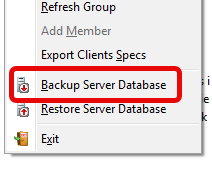
After the upgrade is completed, click on EndPoint Manager > Restore Server Database.
Want to retain all connected clients, including any offline clients?
From the old server, copy rmsvrv11.dat from the C:\Program Files\Reboot Restore Enterprise\Reboot Restore EndPoint Manager\Data folder. Paste this file to the same folder on your new server.
Install or upgrade your existing EndPoint Manager Console
- Download the latest version of Reboot Restore Enterprise to the Endpoint Manager Console PC/Server.
- Extract the downloaded ZIP file.
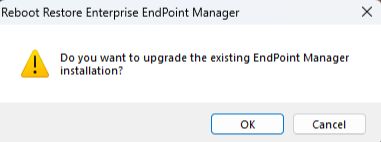
- Navigate to the Endpoint Manager installer and run Setup.exe. If performing an upgrade, the following dialog will be presented, click on OK to proceed.